Setting Up a Professional Office: Essential Elements for Every Workplace
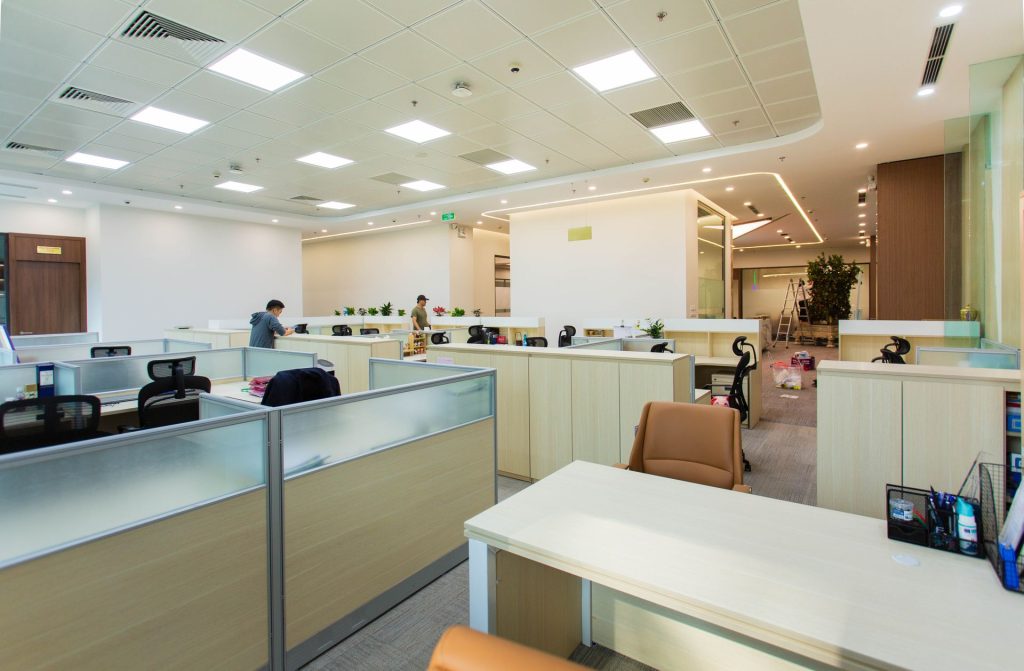
Creating a professional office involves more than selecting desks and chairs. A suitable workplace combines functional furniture, appropriate equipment, good lighting and practical storage solutions. These elements influence how employees experience their working environment. Whether establishing a new office or renovating an existing one, choosing the right office essentials helps create a comfortable and professional setting that supports a productive business.
Choose Office Furniture That Supports Employees
Office furniture is one of the most important elements of workplace design. Employees who spend several hours at a desk need furniture that accommodates their individual requirements.
Desks should provide sufficient space for computers, documents and other equipment. Adjustable office chairs can help employees maintain a suitable sitting position throughout the working day.
Scientific research supports the importance of workplace design. A 2023 systematic review published in Building and Environment, examining 55 office studies, identified relationships between indoor environmental characteristics, furniture, privacy and employees’ mental well-being. Read the scientific systematic review on workplace environments for further details.
When selecting office furniture, businesses should consider desk dimensions, chair adjustability, available legroom and the needs of different employees.
Provide the Right Office Equipment
Modern workplaces depend on a combination of digital and traditional equipment. Computers, monitors, keyboards, telephones and printers are essential for many everyday business activities.
The equipment selected should reflect the organisation’s requirements. For example, administrative departments may need reliable printers and document scanners, while meeting rooms benefit from presentation screens and video conferencing technology.
Printing equipment remains relevant in offices that regularly handle contracts, invoices, reports and customer documentation. Businesses using HP printers should select compatible consumables to maintain consistent printing results. Original hp ink cartridges and toner products are designed for compatible devices and support dependable everyday printing.
Create a Suitable Lighting Environment
Lighting is an important consideration when designing an office. Poor lighting, excessive glare and reflections can make screen-based work uncomfortable.
Where possible, workstations should benefit from natural daylight without direct sunlight creating distracting reflections on computer screens. Additional task lighting can help employees who regularly read printed documents or perform detailed work.
Research published in Building and Environment in 2023 also examined the relationship between indoor environmental quality and workplace outcomes. Its findings highlighted the relevance of environmental factors such as lighting, indoor climate and spatial conditions. The research into indoor environmental quality in workplaces provides further scientific context.
Businesses should therefore consider lighting when planning desk positions, meeting areas and shared workspaces.
Organise Stationery and Document Storage
Although digital systems are widely used, physical documents and stationery remain part of many office routines.
Pens, notebooks, folders, envelopes, paper and filing accessories are useful for meetings, administration and everyday communication.
A dedicated storage area helps employees locate supplies when needed. Filing cabinets, archive boxes and labelled folders also provide practical ways to organise physical paperwork.
Businesses handling confidential information should establish clear document storage procedures. Access to sensitive records should be restricted to authorised employees, while retention and disposal practices should follow applicable data protection requirements.
Consider Workplace Ergonomics
Ergonomics should be considered when arranging desks and selecting office equipment. Poor workstation arrangements can contribute to discomfort, particularly for employees who regularly use computers.
The UK Health and Safety Executive (HSE) provides detailed guidance on working safely with display screen equipment. Its recommendations cover appropriate screen positioning, suitable seating and workstation assessments for employees who regularly use display screen equipment.
Its guidance suggests positioning the screen approximately an arm’s length away, with the top of the display around eye level. The keyboard and mouse should also be positioned to avoid unnecessary stretching.
Employers should review workstation arrangements when employees change desks, new equipment is introduced or discomfort is reported.
Do Not Overlook Shared Office Facilities
A professional workplace includes more than individual workstations. Reception areas, meeting rooms, kitchens and communal spaces also require appropriate furniture, equipment and supplies.
Meeting rooms may need whiteboards, presentation equipment, markers and notepads. Kitchen areas require basic catering supplies, cleaning products and suitable waste facilities.
These shared spaces should be maintained regularly to provide employees and visitors with a welcoming environment.
Build a Workplace That Meets Everyday Needs
A well-planned office brings together suitable furniture, reliable technology, appropriate lighting and practical storage. The right combination depends on the organisation, its available space and the activities employees perform.
Businesses can explore the range of office essentials and workplace supplies to find products for different workplace requirements. By considering both practical needs and scientific recommendations for workplace design, organisations can create professional environments that support employees throughout the working day.